








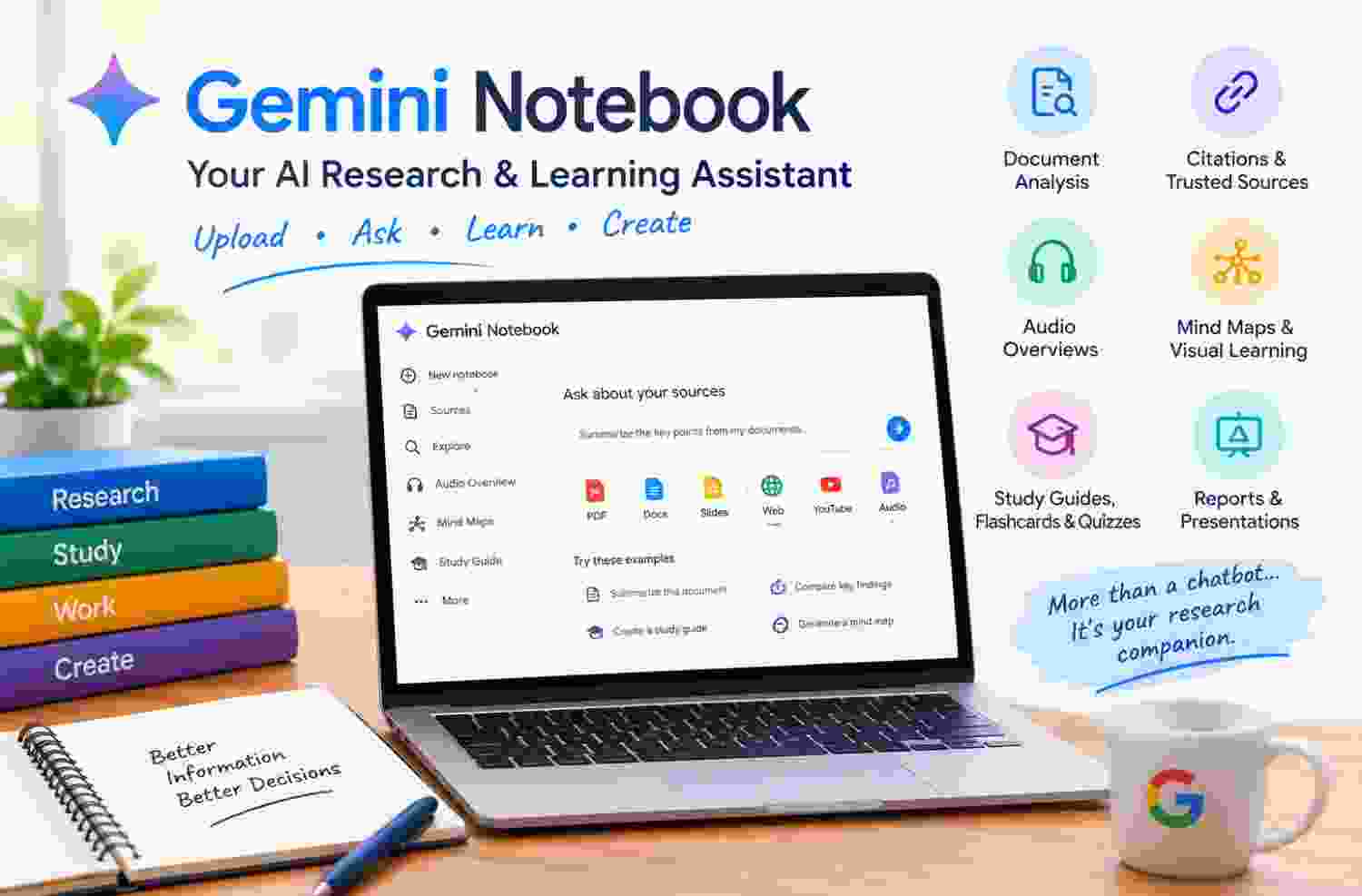
Description
What Is Gemini Notebook?
Gemini Notebook is an AI-powered workspace developed by Google that helps users explore and understand information from their own sources. Google has renamed NotebookLM to Gemini Notebook, while retaining its core purpose as a research and learning assistant.
Users can create notebooks for specific subjects and add materials such as PDF documents, Google Docs, Google Slides, website URLs, text files, Markdown files, public YouTube videos, and audio files. The tool processes these materials and allows users to ask questions about their contents.
Gemini Notebook, previously known as NotebookLM, is Google’s AI-powered research and learning assistant designed to address this problem. Rather than functioning solely as a general-purpose chatbot, it allows users to organize selected information, ask questions about their sources, generate summaries, and transform documents into different learning formats.
Key Features of Gemini Notebook
1. AI-Powered Document Analysis
Gemini Notebook can analyze multiple sources within a notebook and help users understand lengthy or complicated material. Instead of manually searching through every page, users can ask targeted questions and receive responses based on their selected sources.
This feature can be useful for reviewing research papers, product documentation, business reports, policy documents, and training materials.
Its effectiveness depends on the quality and relevance of the uploaded information. Clear, well-structured sources generally make it easier to obtain useful answers.
2. Source-Based Answers With Citations
One of the most valuable features is its ability to provide citations associated with its responses. These references help users locate the supporting information in their source materials.
This is particularly useful when accuracy matters, such as when comparing research findings, checking technical documentation, or preparing evidence-based reports.
However, citations should not be treated as an absolute guarantee of correctness. Users should open the referenced passages and verify whether they genuinely support the conclusion.
3. Audio Overviews
Audio Overviews transform source material into a podcast-style discussion featuring AI-generated voices. This allows users to explore important ideas by listening rather than reading every document.
The feature can be helpful for reviewing study materials during a commute, revisiting a research topic while walking, or gaining an initial understanding of lengthy documents.
Audio summaries are convenient, but they may simplify technical details or omit information that matters to a particular task. They are best used as a complementary learning method rather than a substitute for the original material.
4. Mind Maps and Visual Learning
Gemini Notebook can generate mind maps that organize concepts and illustrate relationships between ideas.
This can help students understand how topics connect and help professionals structure information before creating a presentation or report.
Visual representations are especially helpful when working with subjects that contain several related concepts. Nevertheless, the resulting map should be checked for missing connections or oversimplified relationships.
5. Study Guides, Flashcards, and Quizzes
For students and independent learners, Gemini Notebook can transform uploaded material into study aids such as flashcards, quizzes, and structured study guides.
These features support active recall, which encourages learners to retrieve information rather than merely reread it.
Users can create questions around specific chapters, revise important terminology, and identify topics that require further study. The quality of the practice material still depends on the accuracy and completeness of the underlying sources.
6. Reports, Presentations, and Other Learning Formats
Depending on account eligibility and feature availability, Gemini Notebook can also generate reports, slide decks, infographics, and video-based overviews.
These outputs can provide a useful starting point for organizing information or communicating findings to an audience.
However, generated materials may need editing to improve their structure, design, tone, and factual precision. Users should review the output before publishing it or presenting it professionally.
How Does Gemini Notebook Work?
Getting started is relatively straightforward.
Step 1: Create a notebook. Visit the official Gemini Notebook website and sign in with an eligible Google Account.
Step 2: Add your sources. Upload relevant files or import supported materials, such as documents, presentations, and public web content.
Step 3: Ask specific questions. Request summaries, explanations, comparisons, key findings, or answers to questions about the material.
Step 4: Verify the responses. Use the provided citations to examine the original passages and check important claims.
Step 5: Create useful outputs. Generate study aids, audio summaries, mind maps, or other supported formats based on your requirements.
For the best results, organize each notebook around a clearly defined subject. A notebook dedicated to a particular certification, project, or research topic is usually easier to work with than one containing unrelated information.
Practical Use Cases
For Students and Certification Candidates
Students can use Gemini Notebook to summarize course materials, clarify difficult concepts, create flashcards, and prepare practice quizzes. Certification candidates can organize official documentation and revision notes into a single research workspace.
The tool can support preparation for technical certifications, academic examinations, and professional development programs. Learners should still consult authoritative materials and solve practice questions independently.
For Researchers and Academics
Researchers can use the tool to examine papers, compare arguments, identify recurring themes, and prepare preliminary literature reviews.
It can help organize a large collection of reading materials, but it does not replace a rigorous research methodology. Researchers must independently assess source credibility, research quality, methodological limitations, and conflicting evidence.
For Business Professionals
Business teams can use Gemini Notebook to review reports, extract important findings, explore internal documentation, and prepare briefings.
For example, a team reviewing several market reports could ask the notebook to compare the reported trends and identify areas where the sources disagree. The resulting analysis can help prepare a discussion, provided the conclusions are checked against the original evidence.
For Content Creators and Bloggers
Content creators can organize reference materials, explore different viewpoints, develop article outlines, and identify useful supporting facts.
However, AI-generated summaries should not simply be copied into published articles. Writers should verify factual claims, add independent analysis, use appropriate attribution, and produce their own original presentation of the subject.
For Technical and Data Professionals
Technical professionals can organize product documentation, specifications, training guides, and troubleshooting references. Data analysts, for example, may find it useful when reviewing business requirements or learning unfamiliar terminology from official documentation.
It can accelerate information discovery, although it does not replace hands-on testing, technical validation, or specialist judgment.
Advantages of Gemini Notebook
The main advantages include:
- Centralized research: Keep relevant materials organized around a particular subject.
- Faster information discovery: Ask targeted questions instead of manually searching every document.
- Traceable responses: Use citations to check the source of important claims.
- Flexible learning: Switch between reading, listening, visual exploration, and practice questions.
- Reduced preparation time: Create initial summaries and structured study materials more quickly.
- Accessible workflow: Many core research tasks can be completed without programming skills.
- Multiple applications: The same tool can support education, professional research, and document-heavy workflows.
The greatest benefit is not simply faster content generation. It is the ability to interact with a collection of information in a more structured and convenient way.
Tips for Getting Better Results
To use Gemini Notebook effectively, follow these practices:
- Use reliable sources. Prefer official documentation, reputable publications, and original research.
- Ask focused questions. A specific question about a document generally produces more actionable results than a vague request.
- Request comparisons. Ask the tool to identify similarities, differences, and contradictions between sources.
- Check citations. Open supporting passages before using important claims in a report or article.
- Separate unrelated topics. Use different notebooks for different projects to keep the research organized.
- Save important findings. Preserve useful responses in notes or another appropriate document so they remain accessible.
- Review generated material. Check summaries, quizzes, audio content, and presentations before relying on them.
These practices make the tool more useful while reducing the risk of treating AI-generated material as unquestionable fact.
Summary: Is Gemini Notebook Worth Using?
Gemini Notebook is a useful AI research and learning tool for people who regularly work with documents, notes, reports, and other information sources. Its combination of source-based question answering, citations, audio summaries, mind maps, and study materials offers a practical way to make large collections of information easier to explore.
Its strongest use case is focused research. Rather than asking a chatbot to produce an answer without a defined collection of reference materials, users can build a notebook around selected sources and investigate those materials through targeted questions.
Overall, Gemini Notebook is best viewed as a research companion that can reduce the effort required to navigate information while leaving critical thinking and final decisions in human hands.
Frequently Asked Questions
1. What is Gemini Notebook used for?
It is used to analyze selected documents and other sources, answer questions with citations, summarize information, and create learning resources such as audio overviews, mind maps, flashcards, and quizzes.
2. Is Gemini Notebook the same as Google Gemini?
No. Gemini is Google’s broader AI assistant and model family, whereas Gemini Notebook is a specialized research workspace centered on user-provided sources. The products have different primary purposes.
3. Can Gemini Notebook summarize PDF files?
Yes. Supported PDF files can be added as sources and analyzed to generate summaries, answer questions, and extract relevant information.
4. Can Gemini Notebook create podcast-style audio?
Yes. Its Audio Overview feature can turn source material into a podcast-style AI discussion, subject to the features available to the user’s account.
5. Is Gemini Notebook useful for students?
Yes. It can help students organize study materials, understand difficult topics, create revision resources, and test their knowledge with practice questions.
6. Can bloggers use Gemini Notebook for article writing?
Yes. Bloggers can use it to examine reference documents, organize research, and develop article outlines. Published articles should include original analysis, appropriate attribution, and fact-checking rather than simply reproducing AI-generated output.
7. Does Gemini Notebook always provide accurate answers?
No. It can make mistakes or misinterpret its sources. Users should verify important information against the cited passages and original documents.
8. Where can I access Gemini Notebook?
Visit the official Gemini Notebook website and sign in with an eligible Google Account. Availability and features may vary by account and region.