

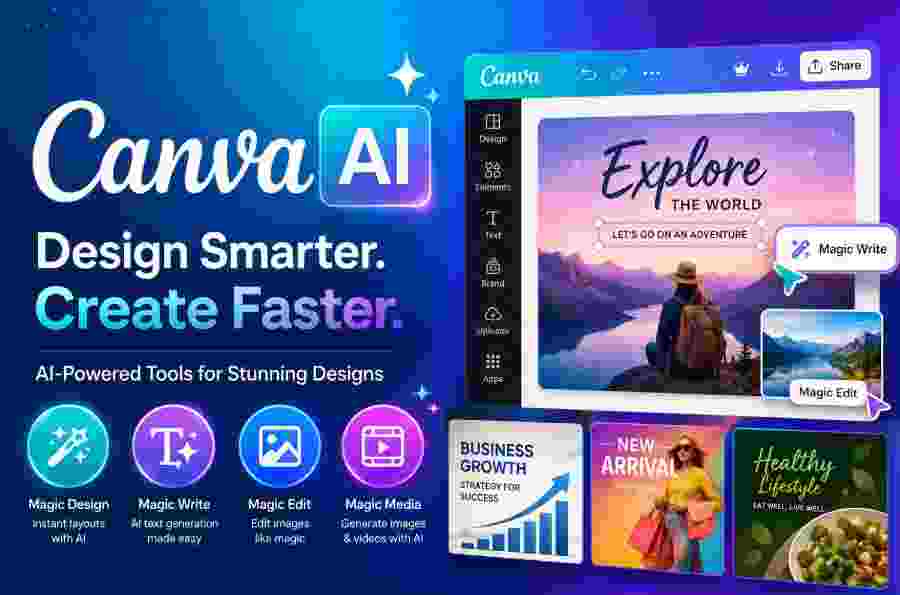
Description
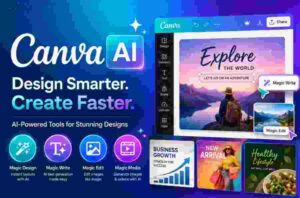
Canva AI has transformed Canva from a traditional online graphic-design platform into a broader AI-powered content creation tool. It allows users to generate designs, images, text, presentations, videos, and marketing content with natural-language instructions while continuing to edit the results using Canva’s familiar design interface.
For entrepreneurs, marketers, bloggers, social-media managers, educators, freelancers, and small businesses, Canva AI can significantly reduce the time required to create professional-looking content.
But is Canva AI actually worth using? How good are its AI features? Is Canva AI free? Can it replace professional design software? And how does it compare with tools such as ChatGPT, Midjourney, and Stable Diffusion?
What Is Canva AI?
Canva AI is Canva’s collection of artificial intelligence features designed to help users create, edit, and transform visual and written content.
Instead of manually creating every element of a design, users can describe what they want and let Canva’s AI tools generate a starting point.
For example, a user could enter:
“Create a modern Instagram advertisement for a digital marketing agency offering 30% off its SEO services.”
Canva AI can help turn the concept into a visual design that can subsequently be customized.
The major advantage is that the AI output remains part of Canva’s broader design ecosystem.
Users can continue editing fonts, colors, layouts, images, logos, animations, and other elements after the initial AI generation.
Why Is Canva AI Popular?
Canva AI is popular because it combines artificial intelligence with an easy-to-use graphic design platform.
Many AI tools are excellent at generating individual assets but require users to move those assets into another application for final production.
Canva takes a different approach.
The workflow can be:
Idea → AI Generation → Design → Editing → Branding → Resize → Collaboration → Publishing
This makes Canva AI particularly useful for people who need to produce content regularly rather than generate a single image occasionally.
Canva AI vs Magic Studio
The terms Canva AI and Magic Studio are closely related but are not exactly the same.
Magic Studio is Canva’s broader collection of AI-powered creative features.
Canva AI represents Canva’s more conversational AI experience, where users can describe an idea and interact with AI while developing creative content.
Canva launched Magic Studio in 2023 and subsequently expanded its AI ecosystem with Canva AI and additional generative capabilities.
The important takeaway is that Canva’s AI functionality is not one isolated tool.
It is a collection of interconnected features built into the Canva platform.
How Does Canva AI Work?
Canva AI is designed to understand natural-language instructions.
Instead of navigating through multiple menus, users can describe the desired outcome.
For example:
“Create a professional LinkedIn post promoting a new AI course, using a clean blue-and-white technology theme.”
The AI can use that instruction to create a starting point.
Users can then refine the result manually or through additional AI instructions.
This combination of AI automation and manual editing is one of Canva’s biggest strengths.
Canva AI Features
Canva AI provides a broad selection of AI-powered features.
The exact features and usage limits can vary according to Canva’s current plans and product updates.
1. AI Design Generation
One of the most useful Canva AI capabilities is automated design creation.
Users can start with an idea instead of a blank canvas.
AI can help create designs for:
- Instagram posts
- Facebook graphics
- LinkedIn content
- Posters
- Flyers
- Presentations
- Invitations
- Advertisements
- Business documents
- Marketing materials
This can save considerable time for users who frequently create visual content.
2. AI Image Generator
Canva provides AI image-generation functionality through tools such as Magic Media.
Users can describe the image they need and generate visual content directly within Canva.
For example:
“Luxury coffee product photography on a dark marble table with dramatic studio lighting and a premium advertising aesthetic.”
The resulting image can then be added directly to a Canva design.
This eliminates the need to download an image from a separate AI image generator before starting the design process.
3. AI Video Generation
Canva also incorporates AI-powered video generation into its creative ecosystem.
Users can generate short video content from prompts and integrate it into designs.
AI-generated video can be useful for:
- Instagram Reels
- Short promotional videos
- Social-media advertisements
- Presentation visuals
- Marketing content
- Creative concepts
However, Canva should not necessarily be considered a complete replacement for dedicated professional video-editing or AI-video platforms.
4. Magic Write
Magic Write is Canva’s AI writing assistant.
It can help generate and refine text for different creative projects.
Possible applications include:
- Social-media captions
- Headlines
- Marketing copy
- Product descriptions
- Presentation text
- Blog content
- Short promotional messages
- Brainstorming
This feature becomes particularly useful when combined with Canva’s design tools.
A marketer can generate copy and immediately place it into a visual advertisement rather than switching between separate applications.
5. Magic Edit
Magic Edit allows users to make AI-assisted changes to images using text instructions.
Instead of manually recreating an image, users can describe what should change.
For example:
“Replace the background with a modern office.”
or:
“Change the red shirt to a black jacket.”
This can simplify many routine image-editing tasks.
6. AI Background Generator
AI-powered background generation can be particularly useful for product images.
A basic product photograph can be placed into a new environment using an AI-generated background.
Potential applications include:
- E-commerce products
- Advertising campaigns
- Social-media promotions
- Seasonal marketing
- Product catalogs
- Promotional banners
For small businesses, this can reduce the need for expensive product photography setups for every campaign.
7. Background Remover
Canva’s background-removal technology allows users to separate a subject from its original background.
This is useful for:
- Product images
- Profile photographs
- Social-media graphics
- Advertisements
- Presentations
- Promotional designs
Once the background is removed, the subject can be placed into another design.
8. AI Photo Editing
Canva has increasingly incorporated AI into its photo-editing workflow.
Users can perform AI-assisted edits such as:
- Object replacement
- Background changes
- Image enhancement
- Color adjustments
- Object removal
- Image expansion
This makes Canva more capable as an all-in-one creative tool.
9. AI Presentation Creation
Creating a presentation from scratch can take significant time.
Canva AI can help users develop presentation concepts and layouts based on a topic.
For example:
“Create a 10-slide presentation explaining digital marketing strategies for small businesses.”
The generated presentation can then be edited and customized.
This is particularly useful for students, teachers, business professionals, consultants, and entrepreneurs.
10. AI Social Media Content
Social-media marketing is one of the strongest use cases for Canva AI.
A business can use Canva to create multiple types of content from the same campaign idea.
For example:
Campaign → Instagram Post → Story → Facebook Graphic → LinkedIn Graphic → Advertisement
This can help businesses maintain a consistent visual identity across platforms.
11. AI Branding Tools
Brand consistency is extremely important for businesses.
Canva’s branding ecosystem allows users to manage important brand assets such as:
- Logos
- Brand colors
- Fonts
- Visual styles
- Brand guidelines
Combining these assets with AI-assisted design can make it easier to produce content that remains visually consistent.
This is particularly valuable for businesses that publish content frequently.
12. Canva Code
Canva has expanded beyond conventional graphic design with Canva Code.
Canva Code allows users to describe interactive experiences using natural language.
This represents a broader shift in Canva’s strategy.
Instead of being only a graphic-design platform, Canva is increasingly positioning itself as a visual creation and productivity platform powered by AI.
13. AI-Powered Canva Sheets
Canva has also expanded AI capabilities into spreadsheet and data workflows.
AI-powered features can help users analyze information, create formulas, identify insights, and visualize data.
This is significant because it expands Canva AI beyond images and graphic design.
Canva is gradually connecting:
Design + Documents + Presentations + Data + AI
within one ecosystem.
Canva AI Image Generation Quality
The quality of Canva AI-generated images can be very good, especially for marketing graphics, social-media content, concepts, backgrounds, and general visual assets.
However, results vary depending on:
- Prompt quality
- Image-generation technology
- Style
- Composition
- Subject complexity
- Desired level of realism
Canva AI should therefore not be judged solely as an image generator.
Its biggest advantage is what happens after the image is generated.
The image can immediately become part of an editable design.
Canva AI Prompting Tips
Writing a detailed prompt can improve AI-generated results.
Instead of writing:
“Business woman.”
Try:
“Professional Indian businesswoman in her early 30s working in a modern technology office, natural window lighting, realistic corporate photography, clean background, premium professional aesthetic.”
Useful prompt elements include:
- Subject
- Location
- Style
- Lighting
- Composition
- Color
- Camera or photography style
- Mood
- Level of realism
The more clearly the desired result is described, the more useful the generation process can become.
Is Canva AI Easy to Use?
Yes. Ease of use is one of Canva AI’s strongest advantages.
Users do not need to understand complicated AI concepts such as:
- Diffusion models
- Model checkpoints
- Sampling methods
- LoRAs
- ControlNet
- VRAM optimization
Canva hides much of this technical complexity behind a familiar interface.
This makes it suitable for users who want AI assistance without becoming AI specialists.
Canva AI for Small Businesses
Small businesses can benefit significantly from Canva AI because they often need a large amount of marketing content without having a dedicated design team.
A business can use Canva AI for:
- Promotional posters
- Social-media posts
- Advertisements
- Product images
- Business presentations
- Flyers
- Brochures
- Marketing campaigns
- YouTube thumbnails
This can reduce the time and cost involved in producing routine creative content.
Canva AI for Digital Marketers
Digital marketers are among the users most likely to benefit from Canva AI.
A typical workflow could be:
Marketing Idea → AI Copy → AI Image → Canva Design → Brand Formatting → Social Media Resize
This makes Canva useful for agencies and marketers managing multiple campaigns.
Canva AI for Bloggers
Bloggers can use Canva AI to create visual assets for their articles.
Possible uses include:
- Featured images
- Blog graphics
- Infographics
- Pinterest graphics
- Social-media images
- Quote graphics
- Presentation slides
For SEO-focused websites, Canva can also help create visually engaging assets that complement written content.
However, AI-generated visuals should support high-quality original content rather than simply being added for search-engine manipulation.
Canva AI for YouTubers
YouTubers can use Canva AI to create:
- Thumbnails
- Channel banners
- Social-media graphics
- Video intro concepts
- Promotional graphics
- Community-post visuals
The ability to quickly test multiple thumbnail concepts can be particularly useful for content creators.
Canva AI for Educators
Teachers and educators can use Canva AI to create educational material more efficiently.
Possible applications include:
- Lesson presentations
- Worksheets
- Posters
- Infographics
- Classroom activities
- Educational diagrams
- Certificates
This can be especially useful for educators who are not professional graphic designers.
Canva AI for Entrepreneurs
Entrepreneurs often need to create many different types of business content.
Canva AI can help with:
- Pitch decks
- Business presentations
- Advertisements
- Social-media campaigns
- Product promotions
- Business proposals
- Brand materials
Instead of hiring a designer for every small visual task, entrepreneurs can use AI-assisted templates and editing tools for routine content.
Canva AI for E-Commerce
E-commerce businesses can use Canva AI to create product marketing assets.
Potential applications include:
- Product advertisements
- Promotional banners
- Social-media graphics
- Product backgrounds
- Seasonal campaigns
- Sale announcements
AI-generated backgrounds can be especially useful for turning simple product photos into more visually polished marketing assets.
Canva AI vs ChatGPT
Canva AI and ChatGPT overlap in some areas, but they have different core strengths.
ChatGPT is primarily a conversational AI system designed for reasoning, writing, research, coding, brainstorming, and many other tasks.
Canva AI is primarily designed for creative production within a visual design environment.
If your main objective is:
Research → Writing → Reasoning → Coding
ChatGPT may be more appropriate.
If your objective is:
Idea → Design → Image → Presentation → Marketing Asset
Canva AI has a significant advantage.
Canva AI Pricing
Canva uses a tiered pricing model, and AI access can vary depending on the user’s subscription.
Canva provides a Free plan, while paid plans offer additional features and higher levels of access.
Because Canva regularly updates its products, AI limits, included features, and pricing can change over time.
Therefore, users planning to purchase Canva primarily for AI generation should check the current official plan details before subscribing.
The most important factor is not simply the monthly subscription price.
Users should evaluate:
AI usage limits + premium templates + storage + brand tools + collaboration + other Canva features
because Canva is a broader platform rather than a dedicated AI image generator.
Is Canva AI Free?
Canva AI has free access options, making it possible for users to try AI-powered creative features without immediately purchasing a subscription.
However, free users may encounter usage limits or restrictions on certain premium capabilities.
For occasional users, the Free plan may be sufficient.
For marketers, agencies, businesses, and professional content creators who generate content frequently, a paid Canva plan may provide better value.
Canva AI Commercial Use
Canva AI can be useful for commercial content creation, but businesses should understand Canva’s current terms and applicable rights before using generated content commercially.
This is particularly important when content includes:
- Recognizable people
- Logos
- Trademarks
- Copyrighted characters
- Brand identities
- Third-party assets
AI-generated content can also raise copyright questions that differ by country.
Therefore, commercial users should not assume that every AI-generated asset automatically receives exclusive copyright protection.
Canva AI Copyright
Copyright is one of the most important considerations when using generative AI.
AI-generated content may not receive identical copyright protection to human-created work, depending on the jurisdiction and circumstances.
Canva itself advises users to understand the applicable laws and notes that AI-generated content may not have exclusive rights.
For commercial campaigns, businesses should therefore combine AI generation with human creative input, review, and appropriate legal consideration.
Canva AI Privacy and Security
Privacy matters when using AI tools for business.
Users should consider what information they upload to Canva, particularly when working with:
- Confidential business documents
- Customer information
- Proprietary product information
- Unreleased marketing campaigns
- Internal company material
Canva provides privacy and security controls for its platform, but businesses should review the current terms and organizational settings before processing sensitive information.
Advantages of Canva AI
Canva AI has several strong advantages.
1. Extremely Easy to Use
Canva’s user-friendly interface makes AI accessible to beginners.
2. All-in-One Creative Platform
Users can generate content, edit it, brand it, resize it, and prepare it for publication without constantly switching applications.
3. Excellent Template Library
Canva’s extensive template ecosystem provides users with ready-made design structures.
4. Strong AI Image Features
AI-generated images can be incorporated directly into designs.
5. Powerful Marketing Workflow
Canva AI is particularly effective for producing marketing and social-media content.
6. Brand Management
Brand assets can be integrated into the design workflow, helping businesses maintain consistency.
7. Beginner Friendly
Users do not need professional graphic-design or AI expertise to start creating useful content.
Disadvantages of Canva AI
Canva AI also has limitations.
1. AI Usage Restrictions
Some AI features have usage limitations depending on the plan.
2. Less Technical Control
Advanced AI users may want more control over the underlying models and generation parameters.
3. AI Output Is Not Always Perfect
Generated images, text, and layouts can contain mistakes and require human review.
4. Not the Best Tool for Every AI Task
Canva is optimized for visual content creation and design rather than every possible AI application.
5. Copyright Considerations
AI-generated content may involve legal and copyright uncertainties.
Businesses should understand applicable laws and Canva’s terms before using generated assets in important commercial projects.
Canva AI Pros and Cons
Pros
- Easy to learn
- Excellent for beginners
- AI-powered design generation
- AI image generation
- AI writing
- AI photo editing
- AI video capabilities
- Excellent templates
- Strong branding features
- Great for social media
- Useful for small businesses
- Excellent marketing workflow
- Supports presentations and documents
Cons
- AI usage limits
- Some features require paid plans
- Less control than advanced AI image-generation platforms
- AI results require human review
- Copyright issues can be complicated
- Not ideal for advanced local AI workflows
Who Should Use Canva AI?
Canva AI is especially suitable for:
Small Business Owners
For businesses without dedicated design teams, Canva AI can simplify everyday marketing production.
Digital Marketers
Marketers can rapidly create campaign assets and social-media content.
Social Media Managers
Canva AI can help produce multiple formats of content for different platforms.
Bloggers
Bloggers can create featured images, infographics, social graphics, and promotional visuals.
YouTubers
Creators can use Canva for thumbnails, banners, promotional graphics, and social-media content.
Educators
Teachers can create presentations, worksheets, posters, and educational materials.
Entrepreneurs
Startup founders can create pitch decks, advertisements, presentations, and brand assets.
Non-Designers
Canva AI is particularly valuable for people who need professional-looking designs without extensive graphic-design experience.
Who Should Not Use Canva AI?
Canva AI may not be the ideal choice if you require:
- Advanced AI model customization
- Local image generation
- Maximum control over generation parameters
- Complex diffusion workflows
- AI research capabilities
- Professional specialized image-generation pipelines
Users with these requirements may benefit more from specialized AI platforms.
Is Canva AI Worth It?
Yes, for most content creators and businesses, Canva AI is worth considering.
Its value comes from the complete workflow rather than one individual AI feature.
A user can move from:
Idea → Copy → Image → Design → Brand → Resize → Publish
within one platform.
This can save significant time for users who regularly create visual content.
However, users who only want AI-generated artwork may find dedicated image-generation tools more suitable.
Similarly, advanced AI users may prefer Stable Diffusion or other specialized platforms that provide greater model-level control.
Best Uses for Canva AI
| Use Case | Rating |
| Social Media Marketing | ⭐⭐⭐⭐⭐ |
| Graphic Design | ⭐⭐⭐⭐⭐ |
| Presentation Creation | ⭐⭐⭐⭐⭐ |
| Small Business Marketing | ⭐⭐⭐⭐⭐ |
| Branding | ⭐⭐⭐⭐⭐ |
| Content Creation | ⭐⭐⭐⭐⭐ |
| AI Image Generation | ⭐⭐⭐⭐ |
| Photo Editing | ⭐⭐⭐⭐⭐ |
| AI Writing | ⭐⭐⭐⭐ |
| Educational Content | ⭐⭐⭐⭐⭐ |
| Professional AI Art | ⭐⭐⭐⭐ |
| Advanced AI Research | ⭐⭐ |
| Local AI Generation | ⭐ |
Summary
Canva AI is an excellent AI-powered design and content creation platform, particularly for users who value simplicity, speed, and an integrated workflow.
Its biggest advantage is the combination of:
AI + Templates + Design Tools + Branding + Editing + Collaboration + Publishing
Instead of using separate tools for writing, image generation, design, photo editing, and social-media graphics, users can perform many of these tasks within Canva.
Its limitations are mainly relevant to advanced users.
If you need complete control over AI models, local execution, complex diffusion workflows, or highly specialized image generation, Canva AI may not be enough.
For everyone else—from small-business owners and marketers to bloggers, educators, entrepreneurs, and social-media creators—Canva AI offers an impressive combination of accessibility and functionality.
Frequently Asked Questions About Canva AI
What is Canva AI?
Canva AI is Canva’s collection of artificial intelligence-powered tools for generating, editing, and transforming designs, images, text, videos, presentations, and other creative content.
Is Canva AI free?
Canva provides free access to Canva AI features, although usage limits and premium capabilities can vary according to the user’s plan.
Can Canva AI generate images?
Yes. Canva provides AI image-generation capabilities through its AI-powered creative tools.
Can Canva AI create videos?
Yes. Canva includes AI-assisted video-generation capabilities for creating short visual content.
Can Canva AI write content?
Yes. Magic Write can help users generate and edit text for social-media posts, presentations, marketing content, and other creative projects.
Is Canva AI good for beginners?
Yes. Canva AI is particularly beginner-friendly because it hides much of the technical complexity associated with generative AI.
Can Canva AI replace a graphic designer?
Canva AI can automate many routine design tasks, but it does not completely replace professional designers.
Creative direction, brand strategy, visual judgment, originality, and quality control remain important.
Is Canva AI good for SEO?
Canva AI can help create visual content that supports an SEO strategy, such as blog graphics, infographics, and social-media assets.
However, Canva AI itself does not guarantee higher search rankings.
SEO performance still depends on factors such as search intent, content quality, technical SEO, authority, backlinks, user experience, and originality.
Can Canva AI be used for commercial purposes?
Potentially, yes, subject to Canva’s current terms and applicable laws.
Businesses should review the rights associated with AI-generated content, third-party assets, trademarks, and recognizable individuals before using content commercially.
Which is better: Canva AI or Midjourney?
Canva AI is better for complete design and marketing workflows.
Midjourney is more specialized toward AI image generation and artistic image creation.
Which is better: Canva AI or Stable Diffusion?
Canva AI is easier to use and better suited to complete visual-content workflows.
Stable Diffusion provides greater technical control, customization, and local-generation possibilities.
Is Canva AI worth paying for?
For users who create content frequently, a paid Canva plan can provide substantial value because it combines AI capabilities with premium templates, design features, branding tools, collaboration, and other creative functionality.
Occasional users may find the free plan sufficient.
Subscribe To Newsletter
Get Daily AI Tools and Softwares Information to Your Email