Description
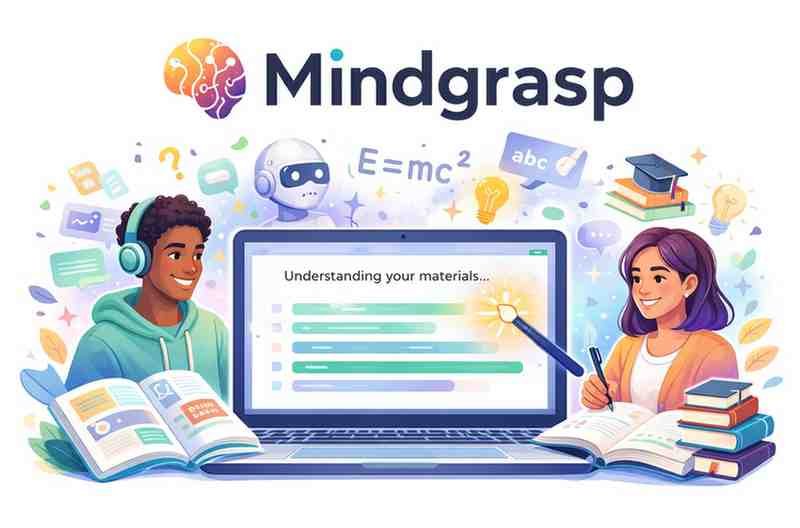
In an age where students and professionals are drowning in information, tools like Mindgrasp are becoming essential. Marketed as an AI-powered “learning assistant,” Mindgrasp promises to turn long videos, PDFs, lectures, and articles into clear, concise, easy-to-understand summaries. But does it really deliver on its claims?
As a review expert, here is a detailed, unbiased, and well-structured analysis of Mindgrasp.
What Is Mindgrasp?
Mindgrasp is an AI tool designed to help users learn complex information quickly. It can read, analyze, summarize, and extract key points from almost any content format, including:
-
Videos
-
PDFs
-
Textbooks
-
Web articles
-
Lecture recordings
-
Zoom meetings
-
Audio files
With just one upload, Mindgrasp generates summaries, explanations, flashcards, quizzes, and notes—making it an all-in-one learning companion.
Top Features of Mindgrasp
1. Multi-Format Summarization
Unlike many AI tools, Mindgrasp doesn’t limit you to text. It can handle:
-
YouTube links
-
MP3/WAV audio
-
PDF textbooks
-
Scanned documents
-
Lecture notes
-
PowerPoints
This flexibility is one of its biggest strengths.
2. AI-Generated Notes
Mindgrasp can turn an entire video lecture or chapter into:
-
Bullet-point notes
-
Key takeaways
-
Topic breakdowns
-
Simplified explanations
Students find this feature incredibly helpful for studying before exams.
3. Auto-Generated Flashcards
With one click, Mindgrasp creates flashcards from your uploaded material.
This is especially useful for subjects like:
-
Biology
-
History
-
Business
-
Medical sciences
-
Law
It basically eliminates the manual effort of making study cards.
4. Smart Q&A
One of Mindgrasp’s standout features is its ability to answer questions about the uploaded content.
You can ask:
-
“Explain Chapter 5 in simple words.”
-
“What were the speaker’s main ideas?”
-
“Give me examples of each concept.”
This transforms passive reading into interactive learning.
5. Quiz & Test Generation
Mindgrasp can create:
-
Multiple-choice quizzes
-
True/false questions
-
Fill-in-the-blank tests
This makes it perfect for revision and self-evaluation.
6. Fast Processing
Even large files or long videos are processed within seconds, saving hours of manual note-taking.
Pros of Mindgrasp
✔ Extremely accurate summaries
Summaries feel clean, structured, and highly aligned with the source material.
✔ Handles multiple content types
Videos + audio + scanned PDFs make it more versatile than most tools.
✔ Great for students
Notes, flashcards, and quizzes cover all study needs.
✔ Time-saving
Ideal for last-minute revision or weekly study routines.
✔ Interactive learning
Q&A allows deeper understanding of confusing topics.
Cons of Mindgrasp
✘ Not all features are available on the free plan
For full access, a subscription is required.
✘ Accuracy may vary on poor-quality audio
Recordings with background noise may produce weaker summaries.
✘ Not ideal for creative writing
Its purpose is academic—not storytelling or content creation.
Who Should Use Mindgrasp?
Highly recommended for:
-
College and university students
-
Competitive exam aspirants
-
Researchers
-
Professionals attending webinars and meetings
-
Teachers preparing lesson materials
Not ideal for:
-
Users needing advanced generative writing
-
People relying heavily on AI for creative tasks
-
Technical subjects requiring deep mathematical reasoning
Is Mindgrasp Worth It?
Yes — Mindgrasp is one of the most powerful AI learning tools available today.
It does not just summarize; it transforms complex content into learning-ready material. Whether you’re studying for finals, analyzing research papers, or reviewing corporate meeting recordings, Mindgrasp saves hours and improves understanding significantly.







Reviews
There are no reviews yet.