


Description
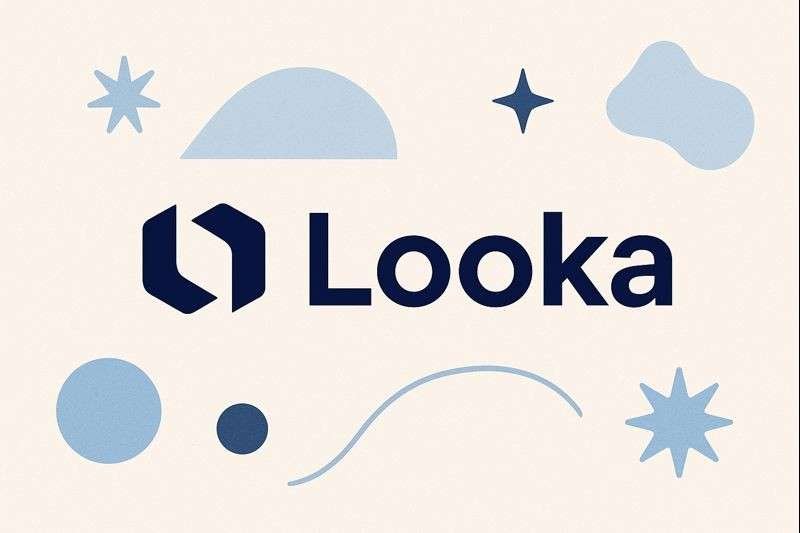
In a world where branding can make or break a business, Looka has emerged as a popular AI-powered logo and brand identity platform. It promises fast, professional-quality designs without hiring a designer. But does Looka actually deliver what it claims? After thoroughly testing its features, this detailed review breaks down everything you need to know.
What is Looka?
Looka is an AI-driven branding platform that helps entrepreneurs, startups, freelancers, and small businesses create logos, brand kits, and marketing materials. Unlike traditional design tools, Looka uses artificial intelligence to instantly generate dozens of logo concepts based on your inputs (style, colors, symbols, industry, etc.).
The platform focuses on affordable and quick branding—ideal for users who want high-quality designs without professional design skills.
⭐ Looka Review: Key Features
1. AI Logo Generator (Core Feature)
Looka’s AI logo engine is surprisingly smart. After choosing:
-
Industry
-
Color palette
-
Styles
-
Icons
-
Font types
It generates a large set of tailored logo options. The variety and quality are impressive, especially compared to many other AI logo tools.
Pros:
-
Extremely quick
-
Clean, modern design options
-
Endless customization (fonts, spacing, colors)
Cons:
-
Some logos may feel generic if you don’t customize deeply
-
No hand-drawn or artistic logo styles
2. Brand Kit: Full Branding in Minutes
This is where Looka stands out. Once your logo is finalized, Looka automatically generates a complete brand identity kit, including:
-
Business card designs
-
Social media banners
-
Letterheads
-
Email signatures
-
Style guidelines
-
Brand colors, typography sets
-
Presentations & posters
It saves hours of manual design work.
3. Social Media Kit
A huge benefit for creators and marketers. Looka auto-generates:
-
Facebook covers
-
YouTube banners
-
LinkedIn headers
-
Instagram post templates
All matched with your brand style and logo.
4. Website and Mockups
Looka also creates branded mockups such as:
-
T-shirts
-
Notebooks
-
Packaging designs
-
Website previews
These visuals help you quickly imagine your brand in the real world.
🎯 Ease of Use
Looka’s interface is clean, minimalistic, and beginner-friendly. Even if you have no design background, the platform guides you through the process.
Time to create a logo: 3–5 minutes
Time to generate brand kit: less than 30 seconds
Overall, Looka gets a 9/10 for usability.
💰 Pricing Review
Looka’s pricing is simple and cheaper than hiring a designer.
✔️ Logo Only Package
-
One-time purchase
-
High-resolution PNG/SVG
-
No ongoing subscription
✔️ Brand Kit Subscription
Includes all design templates + unlimited edits.
✔️ Brand Kit Web Subscription
Brand kit + website builder combined.
Compared to other tools, Looka provides great value for startups on a tight budget.
🔍 Looka Pros & Cons
Pros
-
AI generates beautiful, professional logo concepts
-
Extremely easy to use
-
Full brand kit automation
-
Affordable pricing
-
Unlimited logo edits
Cons
-
Some designs can feel slightly generic
-
Subscription required for brand kit features
-
No advanced designer collaboration tools
⭐ Who Should Use Looka?
Looka is perfect for:
-
New startups
-
Freelancers
-
Online store owners
-
Small business owners
-
Creators building a personal brand
-
Agencies needing quick logo prototypes
If you want fast, clean, and consistent branding without hiring a designer, Looka is an excellent choice.
🔥 Is Looka Worth It?
Yes — Looka is absolutely worth it for anyone who wants high-quality branding at a fraction of the cost of professional design. Its combination of AI-driven logo creation, automatic brand kit generation, and simple interface makes it one of the best small-business branding tools available today.



Reviews
There are no reviews yet.