
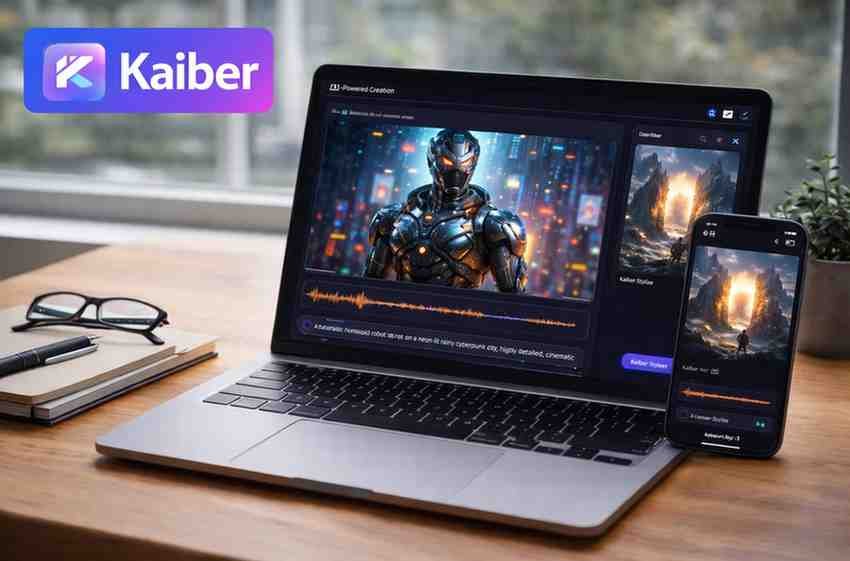
Description
In a world where video content dominates social media, marketing, and entertainment, creators are constantly searching for tools that help them produce high-quality visuals without complicated editing skills. Kaiber has emerged as one of the most innovative AI video-generation platforms, designed to turn simple ideas—texts, images, or audio—into fully animated, cinematic videos.
In this expert review, we’ll break down Kaiber’s features, strengths, limitations, pricing, and overall value for creators, marketers, and businesses.
What Is Kaiber?
Kaiber is an AI-powered video generation platform that transforms text prompts, images, or audio into creative video content. Unlike traditional editing tools, Kaiber helps users create stylized animations, music videos, motion graphics, and narrative scenes without needing advanced skills.
It’s particularly popular among:
-
Content creators
-
Musicians
-
Animators
-
Marketers
-
YouTubers
-
Indie filmmakers
Kaiber stands out because it gives users the power to create studio-quality visual effects with minimal effort.
Key Features of Kaiber
1. Text-to-Video Generation
Users can describe a scene using text, and Kaiber converts it into a video. This supports:
-
Cinematic scenes
-
Animation
-
Concept art videos
-
Surreal visual sequences
It’s ideal for turning imagination into visuals quickly.
2. Image-to-Video Transformation
Upload any image—artwork, portrait, product photo—and Kaiber animates it into motion.
This is great for:
-
Music videos
-
Art reels
-
Instagram content
-
Promotional visuals
You can control:
-
Movement style
-
Camera motion
-
Artistic filters
-
Scene transitions
3. Motion Brush & Custom Effects
Kaiber’s motion brush allows users to add movement to selected areas of an image.
For example:
-
Making hair flow
-
Adding water ripples
-
Creating smoke or lighting effects
This gives creators more artistic control.
4. Style Library
Kaiber includes a wide range of artistic styles, such as:
-
Anime
-
Cyberpunk
-
Fantasy
-
Realistic
-
Surreal
-
Sketch
-
Watercolor
-
3D renders
Each style dramatically transforms the final output.
5. Music Video Generator
One of Kaiber’s most loved features is generating visuals synced to music.
Musicians can upload a track, choose a style, and get a fully animated music video.
This makes it a favorite among indie artists and DJs.
6. Multi-Scene Storybuilding
Users can create multiple scenes and stitch them into a full story, enabling:
-
Short films
-
Brand videos
-
TikTok reels
-
Narrative sequences
This is a step closer to full cinematic storytelling through AI.
Kaiber Performance Review
1. Output Quality
Kaiber’s visuals are rich, creative, and stylistically impressive.
It’s excellent for:
-
Artistic videos
-
Experimental reels
-
Conceptual storytelling
Not always photorealistic, but visually stunning.
2. Ease of Use
Kaiber is built for beginners.
You only need:
-
A prompt
-
An image
-
Or an audio file
The UI is simple, clean, and easy to navigate.
3. Speed
Video generation is relatively fast, depending on length and complexity.
Short clips can be created within minutes.
4. Creativity
Kaiber excels at artistic expression rather than literal, hyper-realistic animation.
It shines when the user wants:
-
Surreal effects
-
AI art styles
-
Aesthetic visuals
Pricing Overview
Kaiber offers:
-
Free trial options
-
Monthly or annual subscription plans
-
Higher tiers for longer videos and advanced features
It’s budget-friendly for creators compared to hiring motion designers or editors.
Pros and Cons
Pros
-
Beautiful, artistic video outputs
-
Beginner-friendly interface
-
Wide range of visual styles
-
Ideal for music videos and reels
-
Good for storytelling and concept art
-
Fast generation times
Cons
-
Not suitable for ultra-realistic video needs
-
Limited fine-grained motion control
-
High-resolution exports require paid plans
-
Complex scenes sometimes generate inconsistencies
Who Should Use Kaiber?
Kaiber is perfect for:
-
Musicians creating AI music videos
-
Influencers & content creators wanting eye-catching visuals
-
Digital artists exploring motion art
-
Marketers making promotional reels
-
Filmmakers generating concept scenes
-
Beginners needing an easy-to-use video tool
It’s not ideal for:
-
Professional VFX artists
-
Realistic character animation
-
Corporate-style productions
Is Kaiber Worth It?
Absolutely—if you’re looking for artistic, creative video generation without complexity.
Kaiber is one of the best AI tools for turning ideas into visually captivating videos. Its text-to-video, image animation, style filters, and music video features make it a powerful companion for creators who want eye-catching content without spending hours editing.
If you want a tool that blends imagination with cinematic visuals effortlessly, Kaiber is definitely worth trying.





Reviews
There are no reviews yet.